Athene Docs › Getting Started
Getting Started
Athene is a free reader for the books you already own, on iPhone, iPad and iPhone Duo. There’s no account to make and nothing to buy: open it, add a book, and read.
Install
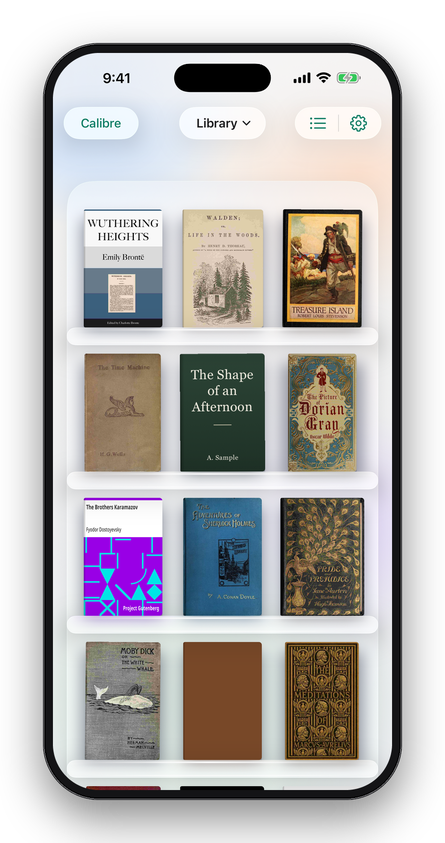
Athene is on the App Store as Athene Reader. It needs iOS 26 or iPadOS 26 or later. Everything it does is free.
The three tabs
| Notebook | Every highlight, note and drawing from every book, and your reflections. See The Notebook. |
|---|---|
| Library | Your shelf, where Athene opens. See Library. |
| Settings | Athene’s light, sync, the Owl and the extras. See Settings & Extras. |
On iPhone the tabs are at the foot of the screen, on iPad across the top, and on iPhone Duo opened flat in the strip at its side. Tap the tab you’re on to go back to the top of it.
Your first book
A new shelf is empty. Tap + at the top of the Library for Add Books, then choose where the book is:
- Open Shelf: 70,000 free classics from Project Gutenberg, the quickest way to try Athene.
- Files: a book in iCloud Drive, Google Drive, Dropbox, OneDrive or on your device, or a whole folder of them, like your calibre library.
- Computer: send books from a browser on a computer on the same Wi‑Fi.
- Web Link, Calibre, Zotero, Mail & AirDrop and OPDS Catalog: see Adding Books.
You can also send a book to Athene from Mail, Messages, Safari or any app that shares files: tap Share and choose Athene. (For a comic, an ODT or an HTMLZ file, save it to Files first and add it from there.) When the book arrives, Athene says so with a Read button; or tap its cover on the shelf.
What Athene reads
| Format | What happens |
|---|---|
| EPUB | Opens as it is, including Kobo’s KEPUB. |
| Opens as it is, in the PDF reader. | |
| MOBI, AZW3, AZW, PRC | Kindle and Mobipocket books without DRM, turned into EPUB. |
| Word, Pages, ODT, RTF | Documents (.docx, .pages, .odt, .rtf), turned into EPUB with their headings and pictures, and from Word and Pages, their cover. |
| FB2, TXT, Markdown, HTML | Turned into EPUB, as is HTMLZ, calibre’s zipped HTML. |
| CBZ | Comics, turned into a book with one picture to a page. |
Books locked to the store that sold them with DRM, such as most from Kindle, Apple Books and Adobe Digital Editions, can’t be opened by any other app, Athene included. Athene says so when you add one; if the store offers a DRM-free download, that one will open. For anything else, calibre can convert it to EPUB first.
A quick tour
- Open a book by tapping its cover. Swipe or tap near the edge to turn the page, and tap the middle to show the buttons. Reading
- Aa sets the paper, brightness, size, typeface and margins. The Page
- Contents has the chapters, this book’s notes and bookmarks, and search. Contents and search
- Select words to highlight them, write or draw a note, look a word up or translate. Highlights & Notes
- The headphones read the book aloud. Listen
- The owl answers questions about the page you’re on. Ask the Owl
- The Notebook gathers every mark you make. The Notebook
Next, if you read on more than one device, turn on iCloud Sync; if your books live in calibre, connect your library.
Written for Athene 3.4. Something here wrong, or missing? Write to athene@theadipost.com.