Athene Docs › Sync & Backup
Sync & Backup
Athene keeps everything on your device until you ask it to go somewhere. All of these are in Settings › Sync. iCloud, Calibre and KOReader are off until you turn them on; Zotero’s starts when you sign in to Zotero.
| iCloud | Your place, marks and settings, between your own iPhone and iPad. |
|---|---|
| Calibre | Highlights and progress to your calibre library, and calibre’s highlights back. See calibre. |
| KOReader | Your place and marks with your e-reader, and the books you send it, through a server you run. |
| Zotero | Highlights and notes on your papers, both ways. See Zotero. |
iCloud
Turn on Settings › Sync › iCloud on each device, signed in to the same Apple Account. What it keeps in step:
- Your place in each book, and your bookmarks, highlights, notes and drawings.
- Your collections.
- The papers you make, the fonts you add, and your reading settings: typeface, size, paper, alignment, line spacing, page turn and the progress line.
- For a PDF, your place and bookmarks.
What stays on each device: the books themselves (add a book on each device), highlights and ink in PDFs, reflections, margins and brightness, Extras, Listen’s voices and speed, Athene’s light, and the Owl’s keys.
Your data goes only to your own private iCloud, and your highlights and notes are end-to-end encrypted. Books are matched by their text, so a highlight follows you between two copies of the same edition. If you’ve read a book more recently on another device, it offers to take you there; see Your place. Turning iCloud off stops syncing and deletes nothing.
The row says how it stands: Up to date, Syncing…, or what’s wrong, such as Sign in to iCloud in the Settings app to sync or Your iCloud storage is full.
KOReader
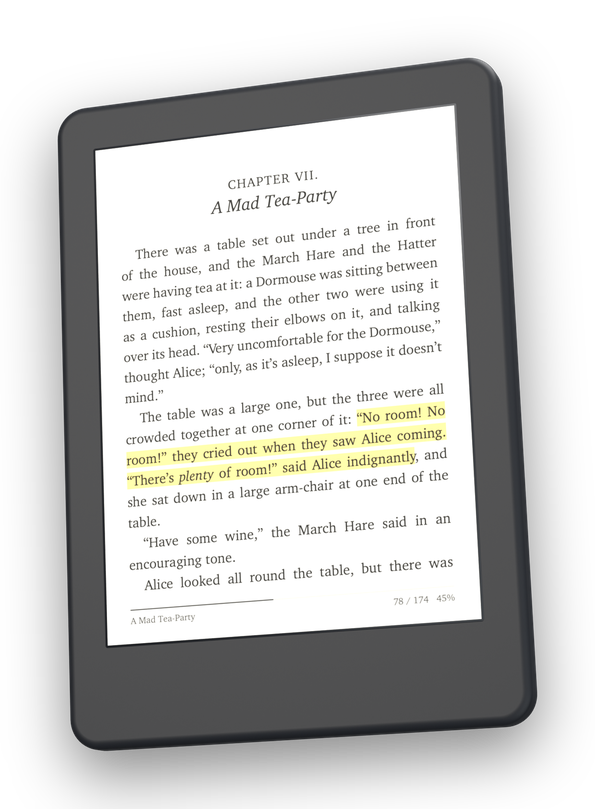
With KOReader on a Kobo, Kindle, Boox or PocketBook, Athene keeps your place and your highlights, notes and bookmarks in step with your e-reader, both ways, and sends it the books you choose. It goes through an Athene sync server you run yourself, on any computer that stays on and runs Docker: a NAS, a Raspberry Pi, or a Mac, Windows or Linux PC. KOReader’s public sync server won’t do; the server has to be your own.
Athene walks you through it, a page at a time, under Settings › Sync › KOReader › How to Set Up Syncing. In short:
- Start the server. On the computer, with Docker installed, run:
On a NAS with no terminal, Athene’s Copy for a NAS app gives you the same server as a compose file, to paste into a new project in its Container Manager or Docker app:docker run -d --name athene-sync --restart unless-stopped -p 17200:17200 -v athene-sync:/data athenereader/athene-syncservices: athene-sync: image: athenereader/athene-sync container_name: athene-sync restart: unless-stopped ports: - "17200:17200" volumes: - ./data:/data - Get the plugin. Open
http://your server’s address:17200in a browser. It should say Your Athene sync server is running. Click Download the KOReader plugin, and unzip it if it doesn’t unzip itself, for a folder called athene.koplugin. - Install it. Copy athene.koplugin into KOReader’s plugins folder: on a Kobo
.adds/koreader/plugins(hidden on a Mac: press ⌘⇧.), on a Kindle or Booxkoreader/plugins, on a PocketBookapplications/koreader/plugins. Then restart KOReader. - Sign in on the e-reader. In KOReader, open a book, tap the top of the page and choose Tools › Progress sync › Custom sync server. Make the address start
http://, followed by your server’s address and:17200, likehttp://192.168.1.20:17200. Then Register / Login; the first time, pick a name and password and tap Register. - Let it sync by itself. On a Kobo or Kindle, set Settings › Network › Action when Wi‑Fi is off to Turn on, and tick Restore Wi‑Fi connection on resume. Then tick Tools › Progress sync › Automatically keep documents in sync.
- Sign in in Athene. Turn on Settings › Sync › KOReader › Sync with KOReader and sign in with the same address, name and password.
Set Document Matching in Athene the same as KOReader’s Progress sync › Document matching method: Binary matches only identical files, Filename matches files with the same name.
To put a book on your e-reader, touch and hold it on your shelf and choose Send to KOReader; your e-reader fetches it when it next wakes. Books on Your E-reader lists what’s waiting and what has arrived. Drawings stay in Athene. In KOReader, Sync now is in Athene’s own menu on the Tools tab, just below Progress sync.
calibre and Zotero
Highlights and reading progress can go to your calibre library, and calibre’s own highlights come back: see Sending to calibre. Papers from Zotero carry their highlights and notes both ways: see Zotero.
Keeping a copy
Athene has no account and no server of its own, so your books and notes live on your devices, and in your devices’ own backups. iCloud Sync, if you turn it on, keeps your place and your marks, but not the books. Deleting Athene deletes its books and notes from that device. Before you do, or to keep a copy anyway:
- Your books: touch and hold a book and choose Export Book to save it as a file. See Export Book.
- Your notes: export a book’s highlights and notes, or a reflection, from the Notebook.
- Your place and marks: iCloud Sync keeps them, and brings them back when you add the same book again.
Written for Athene 3.4. Something here wrong, or missing? Write to athene@theadipost.com.